Skip to content

Section 06

Your workstation

Everything around the computer, which is where the money nobody budgeted for goes. This page is the criteria — what to look at in each part and what trap it has; the per-machine build comes afterwards, because a setup depends on which port yours has.

Precios en dólares y enlaces a amazon.com, la tienda de Estados Unidos.

As an Amazon Associate I earn from qualifying purchases. Put plainly: if you buy, I earn a commission and it costs you nothing extra. How it works

Or go straight to yours

The 8 setups

Each one is a different shopping list, and not by preference: they change depending on what video port your machine has, how much power it wants and whether somebody sits in front of it.

  • Office and school laptop

    The most common one, and the one where choosing the monitor well saves you most: one with a USB-C input gives you screen, charging and ports over a single cable, and then you do not need to buy the dock.

  • Heavy-work laptop

    The charger goes separately, and that is the whole difference: the dock does NOT power it. It is the most expensive trap on this page.

  • Gaming and work laptop

    It carries a fast monitor and audio, and it drags along the same power trap as the heavy-work one: these are workstations with a dedicated graphics card.

  • Small office desktop

    No dock and no stand: the machine is already on the desk and it does not move. It costs roughly a third less than the laptop setup.

  • Heavy-work desktop

    A desktop workstation: the monitor is chosen for colour and for size, not for speed, and the arm stops being a luxury once there are two screens.

  • Gaming tower

    The only station whose machine you pick part by part. Here the fast monitor and the audio are half the experience, and no dock or stand is worth anything.

  • ThinkPad T480

    A single-machine station, and for a measurable reason: its HDMI is 1.4b and tops out at 4K 30 frames. Over its USB-C you do get 60.

  • OptiPlex 3060 Micro

    The other single-machine one, for the same reason as the T480: its video output is from the generation when 4K 30 was normal.

01

The dock

It is the central part and the one most often got wrong: it turns one cable into screen, network, keyboard and charging. And it is where there is a trap you cannot see on the box.

What gets checked before paying

If the box says DisplayLink, it does not get in. DisplayLink does not send video: it compresses it and draws it in software, and on Linux that needs a third-party proprietary module that has to be recompiled every time the kernel changes. What does get in is DP Alt Mode, where the video comes out of your machine's graphics over the same USB-C pins and needs no driver at all. It is the same criterion this site uses to rule out Realtek wifi: it is not worse for being slow, it is worse for who maintains it.

6 approved makers ·Lenovo ThinkPadDell LatitudeUGREEN NASyncStarTechCalDigitAnker

02

The monitor

How many pixels per inch it has, which is what decides whether the desktop looks sharp without fighting the scaling.

What gets checked before paying

27 inches at 1440p gives 109 pixels per inch and works at 100% scale, without touching anything. 4K at 27 inches is 163 and forces fractional scaling at 150%: it works on GNOME and on Plasma 6, but anything still going through XWayland is drawn large and shrunk, and looks over-smoothed. Clean 4K starts at 32 inches. And there is one fact that decides whether you buy one part or two, so it goes in plain: a monitor with a USB-C input REPLACES the dock. You connect one cable from the laptop to the monitor and over that same cable go all three things — the picture, the power that charges the laptop, and the monitor's ports, where you plug in keyboard and mouse. What to look at on the listing is the wattage it delivers: with 65 or more it charges the laptop while you work; with less, you see the screen but the battery drains anyway. Saying so costs us a sale — the dock — and it is the right thing.

3 approved makers ·ASUSLenovo ThinkVisionBenQ

03

The keyboard

Where it keeps its configuration. Not how it feels to type on, which you decide.

What gets checked before paying

Anything that needs the manufacturer's software for the keys to do what they say does not get in: that software has no Linux version. What solves this at the root is called QMK or VIA and keeps the configuration INSIDE the keyboard: you set it once, from any system, and from then on it behaves the same plugged in anywhere, even in the BIOS.

2 approved makers ·CorsairLogitech

04

The mouse

The same as the keyboard, and with one word to look for on the listing.

What gets checked before paying

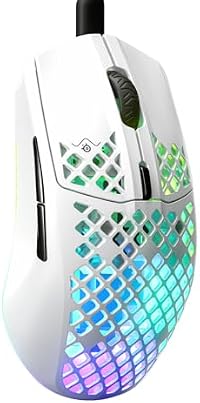
Onboard memory. A mouse that keeps its profiles inside works the same on Linux without installing anything. One that keeps them in the manufacturer's cloud is, here, a three-button mouse. Logitech's work line is handled by Solaar and logiops; the gaming line by libratbag with its Piper window.

5 approved makers ·CorsairLogitechGloriousSteelSeriesRazer

05

Headphones and headsets

Whether you are going to use them to listen or to talk. It is not the same purchase, and hardly any guide separates them.

What gets checked before paying

Noise cancelling works the same on Linux: it lives inside the headphone, its own processor does it and the system never finds out. What does not work the same is the microphone over Bluetooth: the moment it comes on, the link drops the music profile and switches to hands-free, and it sounds like a phone. It is not Linux, it is the protocol, and there is no fix. So there are two answers: to listen, a closed-back pair with cancelling; for meetings and classes, a headset with a USB ADAPTER, which Linux sees as a sound card and not as a wireless link.

4 approved makers ·SonyBoseSennheiserJabra

06

The speakers

No drivers at all: they go in through the audio jack or as standard USB audio.

What gets checked before paying

It is the family with no technical trap, and so the only rule is one of boundaries: desktop speakers for working go here. Studio monitors for mixing live at ampsorbita.com, which is another site in this house and another audience.

4 approved makers ·LogitechCreativeJBLEdifier

07

The stand and the arm

How high it lifts. It is the only part on the list judged with a tape measure.

What gets checked before paying

Six inches or more. That is what puts the top edge of a 13 to 16-inch screen at eye level for somebody sitting down. Less than that is an ornament.

3 approved makers ·BenQRain DesignTwelve South

08

The cable

The most expensive trap on this page, and the easiest to explain.

What gets checked before paying

Watts say nothing about video. A 240 W cable may carry no picture, and it is not a rare case: Anker states in writing that its 240 W Prime cable is no good for mirroring a screen, UGREEN says its half-metre 240 W one carries no video, and Belkin documents its own as USB 2.0 with no DP Alt Mode. Three serious houses, three good cables, none of them any use for a monitor. What to look for on the listing, in these words: DP Alt Mode, USB4 or Thunderbolt.

6 approved makers ·UGREEN NASyncStarTechAnkerCable MattersClub 3DBelkin

09

The chair

How many years it lasts before it sags, which is the only thing separating a cheap chair from an expensive one. First-day comfort, both give you.

What gets checked before paying

Two things can be checked on the listing before paying and neither is subjective. First: **the warranty years**, and here the scale is clear — Herman Miller and Steelcase give twelve, HON seven, and the no-name brands give none or give one. A house that commits to twelve years is betting its parts last; one that gives one is telling you something too. Second: **the gas cylinder class**, which is the part that fails first and the one that makes a chair sink on its own after two years. Class 3 takes 150 kg and about 5 years with 1.5 mm walls; class 4 reaches 250 kg and 8–10 years with 2 mm walls and purer nitrogen. And if the listing mentions **ANSI/BIFMA X5.1**, that means the cylinder passed 133,500 test cycles, which is more than five years of daily use. What does NOT get in here, and it is half the catalogue: the dozen single-product brands with generator names — Mimoglad, HOLLUDLE, COLAMY, ESpefy — that this search returns. It is not that they are bad: it is that nobody independent has looked at them and there is nobody to complain to.

3 approved makers ·Herman MillerSteelcaseHON

10

The desk

The MINIMUM height it goes down to. Not how high it goes up, which is what everybody advertises.

What gets checked before paying

There is an uncomfortable fact here and it goes in plain because it costs us sales: **every electric standing desk you can get today starts between 72 and 73 cm** — the FLEXISPOT at 73 and 73.4, the VIVO frame at 72.4, and with a top on it goes past 74. For working STANDING that makes no difference. For SITTING it does: the correct desk height is your elbow height when seated, and below about 1.68 m of height that lands near 64 cm. So if you are shorter than that, with these desks you will sit high however far you lower them, and the fix is to raise the chair and use a footrest, not the desk. The second checkable thing: **two motors and not one**. With a monitor and a tower on top, a single motor wobbles on the way up and goes down more slowly; two share the load. And the third, **the capacity in kilos**: a tower like the ones on this site weighs 10 to 15 kg, a 27-inch monitor another 5, so 60 kg of capacity is enough and 220 lb is plenty.

1 approved maker ·VIVO

If you only read one thing

Las 7 trampas, juntas

  • DisplayLink is not a dock, it is a patch: a third-party proprietary driver recompiled with every kernel.
  • «2 HDMI» on a cheap hub means MST or DisplayLink. On Linux the second monitor may never appear.
  • 240 W is not video. Three serious houses sell 240 W cables that carry no picture, and they document it themselves.
  • HDMI 1.4b tops out at 4K 30 frames. The ThinkPad T480 in this very catalogue has it: over its USB-C you do get 60.
  • A 100 W dock does not power a ThinkPad P16, whose charger is 135 to 230 W.
  • A microphone over Bluetooth drops the audio to hands-free. It is not Linux, it is the protocol: the way out is a USB adapter.
  • 4K at 27 inches forces fractional scaling. It works, but anything going through XWayland looks smoothed. 1440p at 27 does not have that problem.

Where the list comes from

Los 5 filtros, y basta fallar uno

49 makers were evaluated and 27 got in. It is published because without this, «27 approved makers» would be an opinion with a number on it.

FA source with weight
A lab, the specialist press, or an objective certification. Neither the brand's own page nor a video counts as a source.
CNo documented defect
That there is no quality defect its own owners report.
ENo house risk
That it is not closing or selling the division that makes what is being recommended.
VInherited ban
That it is not a banned house under another name. It is the one that came closest to failing.
ASeller check
That there is something to choose from. It applies to the LISTING, not to the house: an excellent brand that nobody ships is no use at all.

Las 9 que no entraron

Saying why something is NOT here is more useful than its silent absence — and it is what lets you judge a maker that does not appear here.

  • HyperXcae por V

    It has belonged to HP since June 2021, bought for 425 million dollars. HP is ruled out on this site, and HyperX would have got into keyboards without anything throwing an error: the list said «HyperX» and the exclusion said «HP».

  • Keychroncae por A

    The best house technically in the study — native QMK and VIA, and its own listing says «Linux» — and 1 of 30 listings passes the seller check, that one with no stock. There is nobody to ship it.

  • EPOMAKERcae por C

    Its own owners report uneven quality control, keys that fail and non-existent support.

  • Cherrycae por E

    The historic switch house: it lost 23 million dollars, closed its German factory and is considering selling its keyboard division.

  • TERPORTcae por F

    8 of 8 listings pass the seller check and ZERO independent sources. Its own page and a video are not a source.

  • Ergotroncae por A

    It is the industry standard in monitor arms and it does not ship here: 0 of 30 of its own listings. The measured way out is the BenQ Ergo.

  • Audioenginecae por A

    The press loves it and Amazon does not ship it: 1 of 8.

  • Soundcorecae por A

    16%. And it is Anker's sibling, which passes at 100% on hubs: the same company passes in one family and fails in another.

  • Plugablecae por producto

    It does not fall on the house but on what it sells here: its FIVE docks state in their own bullet points that they use DisplayLink.

And three pairs that are the same company

Presenting them as two independent opinions would be misleading, even if both are good. Looking up who owns each house before approving it is what caught the HyperX case.

  • AOC and PhilipsTPV; both left out of monitors.
  • SteelSeries and JabraGN Store Nord; both get in, in different families.
  • Anker and SoundcoreAnker; Anker gets in on hubs; Soundcore does not get in on headphones.

What to know before these brands

  • ASUS

    If you already have one and it works, do not throw it out: uncertified does not mean it does not work. It means that if something in Linux breaks with the next update, no manufacturer is obliged to fix it.

    Who backs it · Counted on ubuntu.com/certified/laptops on 25 Aug 2026: zero results for ASUS, for Zenbook and for Vivobook. Notebookcheck documents the wifi variants by region; linux-hardware.org records both chips under the same commercial name. On graphics cards the bar is different and it clears it: TechPowerUp measured the TUF RX 9070 XT's cooler as «the most powerful cooler of all the cards tested so far», with very good noise in its quiet BIOS.

  • Herman Miller

    It costs what it costs: roughly double the HON. And check that the seller is an authorised one before paying, because the twelve-year warranty is the manufacturer's and it is claimed by whoever bought it properly.

    Who backs it · Twelve-year warranty, confirmed in Interior Insider's comparison against the Steelcase Series 1 and in BTOD's manufacturer warranty listing, which is who catalogues them. TechGearLab tests it in a lab alongside the rest of the category.

  • VIVO

    Its frame starts at 72.4 cm and with a top on it goes past 74. For STANDING it is fine; for sitting it only works if you are about 1.68 m or taller. Below that you will sit high even with it all the way down.

    Who backs it · Its own bullet points give you what you can check before paying: two motors, 220 lb capacity, three-height memory and a three-year manufacturer warranty, with the frame's height range published (72.4 to 120 cm).

  • StarTech

    The RK8OD comes with 20 cage nuts: enough for five machines. If you are going to mount 2U units, buy more from the start.

    Who backs it · ServeTheHome has its own reviews of the RK8OD (8U) and the RK12OD (12U). In Level1Techs' rack thread it is named as «cheap and decent quality».

  • CalDigit

    It is expensive, and it goes without a photo on this site: neither its main image nor its eight variants clear the white-corner check, so they would tint their panel.

    Who backs it · XDA Developers and Windows Central single it out as the best Thunderbolt 4 dock on the market.

  • Anker

    Only the hubs with ONE video output: the two-output ones are MST or DisplayLink. And it is the same company as Soundcore, which does NOT get in on headphones — it passes 16% as a seller against Anker's 100% on hubs.

    Who backs it · The 2026 comparisons measure a failure rate below 5% and call its 7-in-1 the best USB-C hub for most people. And it documents its own limits: it says in writing that its 240 W cable does NOT carry video.

  • BenQ

    Not its whole catalogue gets in: its 27-inch 1080p GW2790TC gives 82 pixels per inch, below the minimum of 90 this site asks for, and it was ruled out on purpose.

    Who backs it · The professional monitor press of 2026 puts it among the five best of the year for factory colour accuracy. Its Ergo BSH01 arm is also the measured way out: Ergotron, which is the industry standard, does not ship there — 0 of 30 of its own listings.

  • Logitech

    Solaar is still not complete under Wayland.

    Who backs it · Its HID++ protocol goes INSIDE the Linux kernel, and Solaar and logiops manage it without installing anything from the manufacturer. It is the difference between a peripheral that works on its own and one that depends on a program that does not exist for Linux.

  • SteelSeries

    It is the SAME company as Jabra (GN Store Nord): if the two appear on the same page, they are not two independent opinions. And its perforated shell lets dust in, so it needs cleaning.

    Who backs it · RTINGS and Tom's Hardware. On Linux they are configured with libratbag and its Piper window, which are community projects but cover the entire brand.

  • Razer

    The driver is the community's, not the manufacturer's: if the project stops, there is nobody to complain to.

    Who backs it · OpenRazer covers the entire brand on Linux.

  • Sony

    Two pieces of small print that are not on the box: the settings app exists ONLY for phones — you configure it once from the phone and the headphones remember — and LDAC, its good codec, works on Linux with PipeWire but does not coexist with the microphone. Either quality, or talking.

    Who backs it · First on RTINGS for noise cancelling.

  • Bose

    It sells over-ear and in-ear with the SAME name, «QuietComfort Ultra», across a wide price range. Only the full listing title tells them apart.

    Who backs it · RTINGS.

  • Sennheiser

    The HDB 630 the press recommends does not reach every market. What is available in Mexico is the Momentum line, and that has to be said instead of linking the name you read in the review.

    Who backs it · What Hi-Fi.

  • Jabra

    It is the SAME company as SteelSeries (GN Store Nord).

    Who backs it · It is the part that solves on Linux the problem no guide in Spanish names: a microphone over Bluetooth drops the audio to hands-free quality, and that is not Linux's fault but the protocol's. With the USB adapter the system sees a sound card, so there is no profile to collapse and no codec to negotiate.

  • JBL

    It gets in on SPEAKERS and not on HEADPHONES: it is not in the press's front rank for noise cancelling. The same house can pass in one family and fail in another.

    Who backs it · Established speaker house, with sustained presence in the trade press.

  • Edifier

    Only the ones its official shop dispatches. And mind the name: it sells them as «studio monitors», which is ampsorbita's territory — here they get in as desktop speakers, not for mixing.

    Who backs it · Tom's Hardware.

Before the setup comes the machine. What you are going to use it for y what to check before buying it.