Section 05
Build your homelab
A homelab is having in your house the services you currently rent from somebody else: your photos, your files, your films, on a computer of your own switched on in a corner. The photo of the rack with blue lights is the end of a road that takes years, not the start of it.
Here are ten projects and what to build each one with, in three budgets — starter, balanced and serious — and the reason for each part, so you spend on what moves the needle. Open the one that interests you: closed, all ten fit on one screen. The prices are only a guide; the real one is what you see when you open the link.
As an Amazon Associate I earn from qualifying purchases. Put plainly: if you buy, I earn a commission and it costs you nothing extra. How it works
01Block the ads for the whole houseOne tiny device strips the advertising from everybody's phone, TV and tablet, without installing anything on them.▶
It sits in the middle of your network and filters advertising and tracking BEFORE it reaches any device. You install nothing on anybody's phone: the blocking happens on the network, so it also covers the TV and the devices where you cannot add an extension.
Who it is for: Everybody's first server. It is the one you notice on day one and the one that hooks you, and the one that asks for least.
Pi-hole lives in 512 MB of RAM and blocks advertising for the WHOLE house; the paid plans that do this charge every month for what a one-off device already does.
Buying expensive hardware. This runs on the smallest thing there is; spending here is spending before you know whether you like the homelab. And note: if the blocker goes down, the house loses its internet, so you learn to bring it back up fast.
What runs on it
Debian with no desktop or Raspberry Pi OS, with Pi-hole or AdGuard Home on top.
The Raspberry
$3,000 – $5,000Five watts, fits in your hand and you will never switch it off.
Who it is for: Anybody starting from nothing who wants the first service people notice.

Raspberry Pi 5, 8 GB
It is still valid and it draws 5 watts. Today a used office mini costs about the same, has more muscle and will not leave you stuck the day a program does not exist for ARM.
Price range: MX$2,000 – MX$3,000

Official 27 W USB-C power supply
the phone charger lying around is NOT enough, and half an hour of strange faults before finding that out is the most common rite of passage there is.
Price range: MX$300 – MX$500

High-endurance microSD, 64 GB
Ordinary microSDs burn out in a server: it writes logs around the clock. The «high endurance» ones are made for security cameras, which do exactly that.
Price range: MX$300 – MX$500

Cat 6 network cable
wired, not wifi: a DNS on unstable wifi feels like slow internet and you never suspect it.
Price range: MX$100 – MX$200
The mini that grows
$3,500 – $6,500It costs the same as the Pi with accessories, but the day you want to run something else, it copes.
Who it is for: Anybody who already knows they are going to like this and does not want to buy again in three months.

A used office mini: Lenovo ThinkCentre Tiny or Dell OptiPlex Micro
a used office mini has more muscle than the Pi and runs anything without fighting over a program not existing for ARM.
Price range: MX$1,500 – MX$4,000 usado

1 TB NVMe for the system
The system and the services' databases go here; the big files on the spinning drives. Mixing them makes everything feel slow.
Price range: MX$1,200 – MX$2,000
Cat 6 network cable
wired, not wifi: a DNS on unstable wifi feels like slow internet and you never suspect it.
Price range: MX$100 – MX$200
The one that never goes down
$5,000 – $9,000A DNS that falls over leaves the whole house without internet; this one survives the power cut.
Who it is for: Anybody who genuinely depends on this and does not want a power cut leaving the whole family offline.
A used office mini: Lenovo ThinkCentre Tiny or Dell OptiPlex Micro
a used office mini has more muscle than the Pi and runs anything without fighting over a program not existing for ARM.
Price range: MX$1,500 – MX$4,000 usado

32 GB SO-DIMM RAM
only if you are going to hang more services off it; for blocking alone, what it comes with is enough.
Price range: MX$1,500 – MX$3,000

1000 VA UPS with USB output
it keeps the DNS alive through a power cut while everything else shuts down: without it, a power cut is an internet cut.
Price range: MX$2,500 – MX$5,000
Cat 6 network cable
wired, not wifi: a DNS on unstable wifi feels like slow internet and you never suspect it.
Price range: MX$100 – MX$200
02Your own cloud and file serverYour photos and documents in your house, synced across all your devices, without paying anybody a monthly fee.▶
A Google Drive or an iCloud that lives in your house: you upload photos, documents and phone backups, and you have them on every device. You provide the capacity once, instead of renting it every month forever.
Who it is for: Anybody already paying for cloud storage every month, or who wants their things out of somebody else's cloud.
Two 8 TB drives mirrored give you 8 TB that survives one of them dying. A third party's cloud charges for that same capacity every month, forever; here you pay once.
Storing on a single drive. One drive is not a backup: the day it dies, it takes everything. From the start you use TWO drives mirrored — one can die and you lose nothing.
What runs on it
TrueNAS, or Debian with Nextcloud in Docker; the drives on ZFS or mirrored.
The mini with two drives
$6,000 – $11,000The minimum that is already real: mirrored from day one.
Who it is for: Anybody who wants their cloud now, with real protection, without building a whole NAS.
A used office mini: Lenovo ThinkCentre Tiny or Dell OptiPlex Micro
a used office mini has more muscle than the Pi and runs anything without fighting over a program not existing for ARM.
Price range: MX$1,500 – MX$4,000 usado

4 TB NAS hard drive (CMR)
two identical drives that copy each other: if one dies, the other has everything and you do not lose a single photo.
Price range: MX$2,200 – MX$3,200
1 TB NVMe for the system
The system and the services' databases go here; the big files on the spinning drives. Mixing them makes everything feel slow.
Price range: MX$1,200 – MX$2,000
The real NAS
$12,000 – $20,000A dedicated box, quiet and low-power, built to hold drives.
Who it is for: Anybody who knows they will store a lot and wants a machine designed for it, not an improvised mini.
Mini-ITX NAS board with Intel N100 and 6 SATA ports (CWWK / Topton type)
it brings the six drive ports built in: you save a separate card and it uses very little electricity running day and night.
Price range: MX$2,800 – MX$4,000 importada

8 TB or larger NAS drives
24/7 video fills a drive fast; a NAS one is built to write without stopping.
Price range: MX$4,000 – MX$6,500 cada uno
1 TB NVMe for the system
The system and the services' databases go here; the big files on the spinning drives. Mixing them makes everything feel slow.
Price range: MX$1,200 – MX$2,000

Multi-bay 3.5" NAS case (Jonsbo N2 or N3)
Small, with room for 5 to 8 3.5" drives and good airflow, designed around a mini-ITX board. The N2 is the easiest to build in for a first-timer; the N3 takes eight drives. It is bought imported.
Price range: MX$2,200 – MX$4,500 importado
150 W picoPSU with a power brick
A power supply with no fan and no moving parts, the size of a connector: silent, and it brings idle draw down to about 7 W. It only works if your total load stays under about 150 W — meaning an N100 NAS board with a couple of drives, not one with a GPU.
Price range: MX$700 – MX$1,200
The one that stores for life
$30,000 – $50,000Tens of terabytes with parity, a UPS, and room to grow for years.
Who it is for: Anybody archiving seriously — film, RAW photos, backups for the whole family — who wants it to last.
NAS board with Intel i3-N305, 6 SATA and 4× 2.5G (CWWK type)
The same idea as the N100 one but with eight cores and four 2.5G network ports: it is for the NAS that also runs containers and virtual machines, not just stores files. The 6 native SATA ports are still there.
Price range: MX$4,800 – MX$6,000 importada
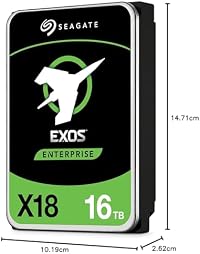
16 TB recertified NAS drive (Seagate Exos or IronWolf Pro)
four drives with parity: a lot fits, and a whole one can die without you losing anything.
Price range: MX$7,500 – MX$10,000 recertificado · conviene usada o recertificada

2 TB NVMe
For the virtual machines. Spinning drives cope with files, not with ten systems booting at once.
Price range: MX$2,500 – MX$4,000
Multi-bay 3.5" NAS case (Jonsbo N2 or N3)
Small, with room for 5 to 8 3.5" drives and good airflow, designed around a mini-ITX board. The N2 is the easiest to build in for a first-timer; the N3 takes eight drives. It is bought imported.
Price range: MX$2,200 – MX$4,500 importado

5-port 2.5G unmanaged switch (TP-Link TL-SG105S-M2)
The cheap jump to 2.5 gigabit, for when moving big files across the network feels slow and gigabit is the bottleneck. You do not need it until you need it: a NAS of spinning drives rarely saturates even gigabit.
Price range: MX$1,000 – MX$1,600
Modular 80+ Gold power supply for a 24/7 server (Corsair RM850e or Seasonic)
the 3090 wants 750 W: an office tower's power supply almost never covers it.
Price range: MX$2,200 – MX$3,200
1000 VA UPS with USB output
it keeps the DNS alive through a power cut while everything else shuts down: without it, a power cut is an internet cut.
Price range: MX$2,500 – MX$5,000
03Your own Netflix of films and seriesYour collection, on the TV, the phone and away from home, without a platform pulling it overnight.▶
It serves your own film and series collection to all your screens, at home and away, with proper artwork and descriptions. It converts on the fly to the format each screen understands — that is 'transcoding', and it is the only part that asks for muscle. It is YOUR collection, for your house: what you bought or ripped from your own discs. The server is a legal tool, like a bookshelf; what you put in it and who you share it with is your business.
Who it is for: Anybody with a collection who is tired of platforms removing titles, or of paying four subscriptions.
The integrated graphics of a 12th-generation Intel mini transcode 15 simultaneous 1080p streams, free. An Intel Arc A380 does 8–12 of 4K HDR for around $130 — you do not need more.
Buying an expensive gaming graphics card to transcode. It does not help: what matters is the video engine, not the frames per second. A cheap Intel Arc A380 beats a gaming GPU costing six times as much for this.
What runs on it
Debian with Jellyfin in Docker; acceleration through Intel QuickSync, or an Intel Arc if there is a lot of 4K.
The mini that already transcodes
$6,000 – $11,000If the mini is Intel, the GPU is already inside and it is free.
Who it is for: The 1080p household with one or two people watching at a time.
A used office mini: Lenovo ThinkCentre Tiny or Dell OptiPlex Micro
a used office mini has more muscle than the Pi and runs anything without fighting over a program not existing for ARM.
Price range: MX$1,500 – MX$4,000 usado
8 TB or larger NAS drives
24/7 video fills a drive fast; a NAS one is built to write without stopping.
Price range: MX$4,000 – MX$6,500 cada uno
1 TB NVMe for the system
The system and the services' databases go here; the big files on the spinning drives. Mixing them makes everything feel slow.
Price range: MX$1,200 – MX$2,000
The one for 4K without stutter
$10,000 – $16,000A small Arc and you can already handle 4K HDR for several at once.
Who it is for: The household with 4K and several people watching different things at the same time.
A used office mini: Lenovo ThinkCentre Tiny or Dell OptiPlex Micro
a used office mini has more muscle than the Pi and runs anything without fighting over a program not existing for ARM.
Price range: MX$1,500 – MX$4,000 usado

Intel Arc A310 (4 GB), low profile, single slot
low profile, it fits even in a small mini, and it transcodes 4K HDR with room to spare.
Price range: MX$1,900 – MX$2,800
8 TB or larger NAS drives
24/7 video fills a drive fast; a NAS one is built to write without stopping.
Price range: MX$4,000 – MX$6,500 cada uno
1 TB NVMe for the system
The system and the services' databases go here; the big files on the spinning drives. Mixing them makes everything feel slow.
Price range: MX$1,200 – MX$2,000
The server for the whole family
$18,000 – $30,000Many 4K streams at once and a library of tens of terabytes.
Who it is for: Anybody serving the whole family and friends from outside, all at once.

Used office tower with a PCIe slot (Dell OptiPlex/Precision Tower or Lenovo ThinkStation)
The base for what a mini CANNOT do: hang a big GPU off it. A used office tower already comes with its processor, memory and drive; you add the card. Look in refurbished stock too. Make sure it has a decent power supply or change it — an RTX 3090 wants 750 W. (HP is out, and that is Jorge's decision: Dell and Lenovo.)
Price range: MX$3,500 – MX$8,000 usada · conviene usada o recertificada

Intel Arc A380 (6 GB) for transcoding
6 GB and no simultaneous-stream cap: 8 to 12 4K transcodes at once.
Price range: MX$2,300 – MX$3,500
16 TB recertified NAS drive (Seagate Exos or IronWolf Pro)
four drives with parity: a lot fits, and a whole one can die without you losing anything.
Price range: MX$7,500 – MX$10,000 recertificado · conviene usada o recertificada
2 TB NVMe
For the virtual machines. Spinning drives cope with files, not with ten systems booting at once.
Price range: MX$2,500 – MX$4,000
04Your smart home, without the manufacturer's cloudLights, sensors and locks from different brands, all together and working even when the internet is down.▶
It brings together, in one place, smart devices from brands that do not talk to each other, and makes them work LOCALLY: they keep running even if the internet goes down or the brand shuts its cloud. You automate whatever you want without depending on anybody's app.
Who it is for: Anybody who already has smart lights or sensors from several brands and is sick of one app for each.
Home Assistant controls hundreds of devices with 2 GB of RAM. The point is not the power: it is that it is ONLY that, dedicated, so nothing else ever takes it down with it.
Running it alongside everything else and having a reboot leave the house in the dark. Home Assistant wants its own device, small and dedicated, so that updating it does not take another service down.
What runs on it
Home Assistant OS, on its own machine, with a Zigbee/Z-Wave antenna to talk to the sensors without a cloud.
Sitio oficial de Home Assistant ↗
The Pi with a real drive
$5,500 – $8,000Small and dedicated, but with an SSD so it does not burn out.
Who it is for: Anybody starting their smart home who wants the smallest device that will last.
Raspberry Pi 5, 8 GB
It is still valid and it draws 5 watts. Today a used office mini costs about the same, has more muscle and will not leave you stuck the day a program does not exist for ARM.
Price range: MX$2,000 – MX$3,000

GeeekPi P31: M.2 NVMe + PoE+ HAT for the Raspberry Pi 5
Home Assistant writes to its database non-stop; a microSD burns out in months, an NVMe SSD lasts years.
Price range: MX$1,000 – MX$1,800 (HAT + SSD)
Official 27 W USB-C power supply
the phone charger lying around is NOT enough, and half an hour of strange faults before finding that out is the most common rite of passage there is.
Price range: MX$300 – MX$500
The dedicated mini
$4,000 – $7,000Cheaper than the Pi with an SSD, and it will not run short of memory.
Who it is for: Anybody with a lot of devices and automations who wants headroom.
A used office mini: Lenovo ThinkCentre Tiny or Dell OptiPlex Micro
a used office mini has more muscle than the Pi and runs anything without fighting over a program not existing for ARM.
Price range: MX$1,500 – MX$4,000 usado
1 TB NVMe for the system
The system and the services' databases go here; the big files on the spinning drives. Mixing them makes everything feel slow.
Price range: MX$1,200 – MX$2,000
The one that survives the power cut
$6,000 – $10,000The house does not go stupid when the power goes.
Who it is for: Anybody already running locks, alarms and climate through this who does not want a cut leaving them blind.
A used office mini: Lenovo ThinkCentre Tiny or Dell OptiPlex Micro
a used office mini has more muscle than the Pi and runs anything without fighting over a program not existing for ARM.
Price range: MX$1,500 – MX$4,000 usado
1 TB NVMe for the system
The system and the services' databases go here; the big files on the spinning drives. Mixing them makes everything feel slow.
Price range: MX$1,200 – MX$2,000
1000 VA UPS with USB output
it keeps the DNS alive through a power cut while everything else shuts down: without it, a power cut is an internet cut.
Price range: MX$2,500 – MX$5,000
05Backups that actually save youThe 3-2-1 rule: three copies, two media, one off site. What is not disconnected is not safe.▶
It automates copies of your things following the rule professionals use: three copies, on two kinds of medium, with one outside your house. That way neither a fire, nor a theft, nor ransomware takes everything at once.
Who it is for: Anybody who already has things they cannot lose — photos, work, the cloud above — and today depends on a single drive not failing.
3-2-1: three copies, two kinds of medium, one outside your house. The drive that lives unplugged is the only one that survives ransomware — whatever is plugged in, the virus deletes too.
Believing a NAS is a backup. If ransomware or a deletion catches the NAS, the 'copy' goes with it. The real backup is the drive that lives unplugged and a copy outside the house.
What runs on it
Proxmox Backup Server or restic; an external drive that gets unplugged, and an encrypted copy off site.
Sitio oficial de Proxmox Backup Server ↗
The drive that gets unplugged
$1,500 – $3,500The first real backup costs little: a drive you plug in, copy to and put away.
Who it is for: Anybody with NO backup at all who needs one this week.

External drive for the off-site copy
the third copy, at a relative's house or in a drawer at work: the one that survives your house burning down.
Price range: MX$1,800 – MX$2,800
The backup server
$6,000 – $11,000Automatic copies every night, plus the one that goes off site.
Who it is for: Anybody who already has their own cloud or several machines and wants them backed up on their own, without remembering.
A used office mini: Lenovo ThinkCentre Tiny or Dell OptiPlex Micro
a used office mini has more muscle than the Pi and runs anything without fighting over a program not existing for ARM.
Price range: MX$1,500 – MX$4,000 usado
8 TB or larger NAS drives
24/7 video fills a drive fast; a NAS one is built to write without stopping.
Price range: MX$4,000 – MX$6,500 cada uno
External drive for the off-site copy
the third copy, at a relative's house or in a drawer at work: the one that survives your house burning down.
Price range: MX$1,800 – MX$2,800
The bunker
$14,000 – $24,000Deduplicated, verified, and with room for years of history.
Who it is for: Anybody backing up a whole family or a small business who needs to be able to go back to any given day.
Mini-ITX NAS board with Intel N100 and 6 SATA ports (CWWK / Topton type)
it brings the six drive ports built in: you save a separate card and it uses very little electricity running day and night.
Price range: MX$2,800 – MX$4,000 importada
16 TB recertified NAS drive (Seagate Exos or IronWolf Pro)
four drives with parity: a lot fits, and a whole one can die without you losing anything.
Price range: MX$7,500 – MX$10,000 recertificado · conviene usada o recertificada
External drive for the off-site copy
the third copy, at a relative's house or in a drawer at work: the one that survives your house burning down.
Price range: MX$1,800 – MX$2,800
1000 VA UPS with USB output
it keeps the DNS alive through a power cut while everything else shuts down: without it, a power cut is an internet cut.
Price range: MX$2,500 – MX$5,000
06Run ten machines in one boxEach service in its own isolated virtual machine; if one breaks, you restore it in seconds without touching the others.▶
It splits one computer into many independent virtual machines: each service lives in its own, isolated, and you can try something, break it and restore a snapshot from before in seconds. It is the base almost every other project is built on.
Who it is for: Anybody already running two or three services who wants to tidy them up, experiment without fear, and stop having everything jumbled into one machine.
Proxmox turns one box into ten. Each service in its own isolated virtual machine, and a snapshot puts you back to five minutes ago without touching the rest — experimenting stops being frightening.
Running short on RAM. Virtual machines eat memory before they eat processor: 8 GB fills up with two. RAM is the first thing you expand, always.
What runs on it
Proxmox VE: virtual machines and containers in one box, with snapshots and backups.
The mini with memory to spare
$5,000 – $9,000The cheap option that already lets you have three or four virtual machines.
Who it is for: Anybody who wants to learn virtualisation without spending, on a used mini.
A used office mini: Lenovo ThinkCentre Tiny or Dell OptiPlex Micro
a used office mini has more muscle than the Pi and runs anything without fighting over a program not existing for ARM.
Price range: MX$1,500 – MX$4,000 usado
32 GB SO-DIMM RAM
only if you are going to hang more services off it; for blocking alone, what it comes with is enough.
Price range: MX$1,500 – MX$3,000
1 TB NVMe for the system
The system and the services' databases go here; the big files on the spinning drives. Mixing them makes everything feel slow.
Price range: MX$1,200 – MX$2,000
The eight-core one
$9,000 – $14,000When several machines are working at once, the N305 does not break a sweat.
Who it is for: Anybody with half a dozen services already who wants none of them slowing the others down.
New mini PC with Intel N305 (8 cores), 16 GB, such as a Beelink EQ12 Pro
The step above the N100: eight cores instead of four, and you notice it when Proxmox has several virtual machines fighting over the CPU at once, or when you transcode 4K. For a single service the N100 is more than enough — the community's rule is to start with an N100 and, if you need more, a second N100 comes out cheaper than jumping to an N305.
Price range: MX$5,500 – MX$7,500 nuevo
32 GB SO-DIMM RAM
only if you are going to hang more services off it; for blocking alone, what it comes with is enough.
Price range: MX$1,500 – MX$3,000
2 TB NVMe
For the virtual machines. Spinning drives cope with files, not with ten systems booting at once.
Price range: MX$2,500 – MX$4,000
The real node
$12,000 – $22,000A desktop processor and a UPS: for running seriously, not for playing.
Who it is for: Anybody who wants a server that copes with dozens of containers and machines without straining.

Mini PC with Core i5/i7 or Ryzen and 32 GB
a game advances the world on a single thread: a fast desktop processor beats one with many slow cores.
Price range: MX$10,000 – MX$20,000
32 GB SO-DIMM RAM
only if you are going to hang more services off it; for blocking alone, what it comes with is enough.
Price range: MX$1,500 – MX$3,000
2 TB NVMe
For the virtual machines. Spinning drives cope with files, not with ten systems booting at once.
Price range: MX$2,500 – MX$4,000
5-port 2.5G unmanaged switch (TP-Link TL-SG105S-M2)
The cheap jump to 2.5 gigabit, for when moving big files across the network feels slow and gigabit is the bottleneck. You do not need it until you need it: a NAS of spinning drives rarely saturates even gigabit.
Price range: MX$1,000 – MX$1,600
1000 VA UPS with USB output
it keeps the DNS alive through a power cut while everything else shuts down: without it, a power cut is an internet cut.
Price range: MX$2,500 – MX$5,000
07Get into your house from outside, without opening doorsYou reach your whole network from your phone, encrypted, without opening a single port on the router — which is where attacks come in.▶
It lets you reach everything you have at home — the cloud, the cameras, the files — from anywhere, over an encrypted connection, without exposing anything to the internet. And it publishes what you do want to share over HTTPS with a proper domain, not an address with odd port numbers.
Who it is for: Anybody who already has services at home and wants to use them from the street without becoming a target.
A WireGuard VPN fits on the smallest machine you own and puts you inside your WHOLE network from outside without opening a port. It is, literally, the difference between being safe and being exposed.
Opening ports on the router to get in from outside. That is the door automated attacks come through, the ones that sweep the whole internet looking for open ports. With Tailscale or WireGuard you get in encrypted without opening any.
What runs on it
WireGuard or Tailscale to get in encrypted; Nginx Proxy Manager to publish over HTTPS with a domain.
The VPN box
$3,000 – $5,000It asks for almost nothing: a VPN weighs very little.
Who it is for: Anybody who just wants to get into their house securely from outside and nothing more.
Raspberry Pi 5, 8 GB
It is still valid and it draws 5 watts. Today a used office mini costs about the same, has more muscle and will not leave you stuck the day a program does not exist for ARM.
Price range: MX$2,000 – MX$3,000
Official 27 W USB-C power supply
the phone charger lying around is NOT enough, and half an hour of strange faults before finding that out is the most common rite of passage there is.
Price range: MX$300 – MX$500
High-endurance microSD, 64 GB
Ordinary microSDs burn out in a server: it writes logs around the clock. The «high endurance» ones are made for security cameras, which do exactly that.
Price range: MX$300 – MX$500
The door with a domain
$3,500 – $6,000You get in encrypted and you also publish your services over HTTPS.
Who it is for: Anybody who wants their services to look good and be secure from outside, with their own domain.
A used office mini: Lenovo ThinkCentre Tiny or Dell OptiPlex Micro
a used office mini has more muscle than the Pi and runs anything without fighting over a program not existing for ARM.
Price range: MX$1,500 – MX$4,000 usado
1 TB NVMe for the system
The system and the services' databases go here; the big files on the spinning drives. Mixing them makes everything feel slow.
Price range: MX$1,200 – MX$2,000
The house's own router
$5,000 – $9,000The firewall and the VPN are the door to your network itself, not a tenant behind the router.
Who it is for: Anybody who wants to take control of their whole network, with a serious firewall and 2.5G.
Mini-ITX NAS board with Intel N100 and 6 SATA ports (CWWK / Topton type)
it brings the six drive ports built in: you save a separate card and it uses very little electricity running day and night.
Price range: MX$2,800 – MX$4,000 importada
5-port 2.5G unmanaged switch (TP-Link TL-SG105S-M2)
The cheap jump to 2.5 gigabit, for when moving big files across the network feels slow and gigabit is the bottleneck. You do not need it until you need it: a NAS of spinning drives rarely saturates even gigabit.
Price range: MX$1,000 – MX$1,600
08Your own game serverMinecraft or Valheim for you and your friends, always on, with your rules and without renting from anybody.▶
It hosts a game world — Minecraft, Valheim, whatever — so you and your friends can join whenever you like, with the world always alive, mods to your taste and no monthly rent to a host.
Who it is for: The group of friends who play together and do not want to depend on a rented server that goes down or puts its price up.
A Minecraft for ten friends wants 4 GB of RAM and a fast core — zero graphics card. What slows it down is not the graphics: it is RAM and single-thread speed.
Thinking you need a graphics card. A game server draws nothing: it just keeps track of the world. What it wants is a fast core and RAM, zero GPU.
What runs on it
Docker with the game's container (itzg/minecraft-server, or the Valheim dedicated one).
Sitio oficial de Minecraft (itzg/docker-minecraft-server) ↗
The friends' world
$3,500 – $7,000A used mini copes with a Minecraft for the group.
Who it is for: The small group that wants their world always on without spending.
A used office mini: Lenovo ThinkCentre Tiny or Dell OptiPlex Micro
a used office mini has more muscle than the Pi and runs anything without fighting over a program not existing for ARM.
Price range: MX$1,500 – MX$4,000 usado
32 GB SO-DIMM RAM
only if you are going to hang more services off it; for blocking alone, what it comes with is enough.
Price range: MX$1,500 – MX$3,000
The multi-world one
$6,000 – $10,000Several games at once, each in its own container.
Who it is for: Anybody hosting more than one game or a heavily modded server.
New mini PC with Intel N305 (8 cores), 16 GB, such as a Beelink EQ12 Pro
The step above the N100: eight cores instead of four, and you notice it when Proxmox has several virtual machines fighting over the CPU at once, or when you transcode 4K. For a single service the N100 is more than enough — the community's rule is to start with an N100 and, if you need more, a second N100 comes out cheaper than jumping to an N305.
Price range: MX$5,500 – MX$7,500 nuevo
32 GB SO-DIMM RAM
only if you are going to hang more services off it; for blocking alone, what it comes with is enough.
Price range: MX$1,500 – MX$3,000
1 TB NVMe for the system
The system and the services' databases go here; the big files on the spinning drives. Mixing them makes everything feel slow.
Price range: MX$1,200 – MX$2,000
The fast-core one
$9,000 – $15,000What a real game server actually wants: single-thread speed.
Who it is for: The big or heavily modded server, where every tick of the world counts.
Mini PC with Core i5/i7 or Ryzen and 32 GB
a game advances the world on a single thread: a fast desktop processor beats one with many slow cores.
Price range: MX$10,000 – MX$20,000
32 GB SO-DIMM RAM
only if you are going to hang more services off it; for blocking alone, what it comes with is enough.
Price range: MX$1,500 – MX$3,000
1 TB NVMe for the system
The system and the services' databases go here; the big files on the spinning drives. Mixing them makes everything feel slow.
Price range: MX$1,200 – MX$2,000
09Security cameras that are yoursIt detects people and cars, records only when something happens, and the footage stays in your house — not in a brand's cloud.▶
It brings your cameras together and gives them a brain that tells a person or a car from a branch moving, so they record only when it matters and alert you. Everything stays in your house: no subscription and no footage of your home living on somebody else's server.
Who it is for: Anybody who wants surveillance without paying the manufacturer's cloud every month or handing over the video of their house.
Frigate detects people and cars with the integrated graphics of an Intel mini — free, about 20 ms per frame — for several cameras. The Coral everybody used to recommend was abandoned in 2026; do not buy one.
Buying a Google Coral. Its driver was archived in April 2026 and Frigate no longer recommends it for new installations. Today you start with integrated Intel graphics (free) and, if they are not enough, a Hailo-8L — the Coral was left behind.
What runs on it
Frigate in Docker; detection through OpenVINO on the Intel graphics, or a Hailo-8L if there are many cameras.
Two cameras and the mini
$5,000 – $10,000The integrated graphics detect for free; the PoE switch carries power and data over one cable.
Who it is for: Anybody starting with the front door and the yard, without spending on an accelerator.
A used office mini: Lenovo ThinkCentre Tiny or Dell OptiPlex Micro
a used office mini has more muscle than the Pi and runs anything without fighting over a program not existing for ARM.
Price range: MX$1,500 – MX$4,000 usado

PoE switch, 5 gigabit ports (TP-Link TL-SG1005P)
It powers the cameras and access points over the same network cable, without running mains power to each one. It is what makes a camera project manageable: one cable per camera and that is it.
Price range: MX$950 – MX$1,400

IP camera with PoE and ONVIF, Reolink (Frigate compatible)
Make sure it is ONVIF with an RTSP stream, not a «cloud» camera tied to the manufacturer's app: Frigate needs the direct video stream, and a camera that only talks to its own cloud is no use. PoE brings it power and data over a single cable.
Price range: MX$700 – MX$1,800 por cámara
The house covered
$10,000 – $18,000Four cameras and a dedicated drive for the recordings.
Who it is for: Anybody who wants to cover the whole house and keep weeks of video.
A used office mini: Lenovo ThinkCentre Tiny or Dell OptiPlex Micro
a used office mini has more muscle than the Pi and runs anything without fighting over a program not existing for ARM.
Price range: MX$1,500 – MX$4,000 usado
8 TB or larger NAS drives
24/7 video fills a drive fast; a NAS one is built to write without stopping.
Price range: MX$4,000 – MX$6,500 cada uno
PoE switch, 5 gigabit ports (TP-Link TL-SG1005P)
It powers the cameras and access points over the same network cable, without running mains power to each one. It is what makes a camera project manageable: one cable per camera and that is it.
Price range: MX$950 – MX$1,400
IP camera with PoE and ONVIF, Reolink (Frigate compatible)
Make sure it is ONVIF with an RTSP stream, not a «cloud» camera tied to the manufacturer's app: Frigate needs the direct video stream, and a camera that only talks to its own cloud is no use. PoE brings it power and data over a single cable.
Price range: MX$700 – MX$1,800 por cámara
The full circuit
$18,000 – $32,000Many cameras, a dedicated accelerator and months of history.
Who it is for: Anybody covering a large property or a business with six or more cameras.
A used office mini: Lenovo ThinkCentre Tiny or Dell OptiPlex Micro
a used office mini has more muscle than the Pi and runs anything without fighting over a program not existing for ARM.
Price range: MX$1,500 – MX$4,000 usado
Hailo-8L AI accelerator (M.2) for camera detection
when the integrated graphics fall short with that many cameras, the Hailo-8L is the step up — not the Coral, which is no longer maintained.
Price range: MX$1,200 – MX$2,200
8 TB or larger NAS drives
24/7 video fills a drive fast; a NAS one is built to write without stopping.
Price range: MX$4,000 – MX$6,500 cada uno
PoE switch, 5 gigabit ports (TP-Link TL-SG1005P)
It powers the cameras and access points over the same network cable, without running mains power to each one. It is what makes a camera project manageable: one cable per camera and that is it.
Price range: MX$950 – MX$1,400
IP camera with PoE and ONVIF, Reolink (Frigate compatible)
Make sure it is ONVIF with an RTSP stream, not a «cloud» camera tied to the manufacturer's app: Frigate needs the direct video stream, and a camera that only talks to its own cloud is no use. PoE brings it power and data over a single cable.
Price range: MX$700 – MX$1,800 por cámara
10Run your own AI modelA ChatGPT that lives in your house: private, no monthly fee, and nothing you say to it leaves the building.▶
It runs language models — like the ones behind ChatGPT, but open — on your own machine: you ask it things, it writes, summarises and codes, and nothing you tell it leaves your house. No subscription and no usage limits.
Who it is for: Anybody who wants private AI for writing or coding, or who already pays for several AI subscriptions and would rather buy a machine once.
VRAM rules: 12 GB runs an 8B model comfortably, 24 GB a 32B one. An RTX 3060 with 12 GB is the way in; a used 3090 with 24 GB is the serious option — and it beats newer, pricier cards with less VRAM.
Looking at the processor or the core count. In local AI the ONLY thing that matters is the graphics card's VRAM: it defines how big a model you can run. Without a GPU it runs, but very slowly; with little VRAM it will not even load the good models.
What runs on it
Ollama on Linux. NVIDIA with CUDA is the lowest friction; AMD with ROCm works now and costs less.
The 12 GB 3060
$12,000 – $18,000The cheap way in that already runs real models.
Who it is for: Anybody who wants to try local AI seriously without spending a fortune.
Used office tower with a PCIe slot (Dell OptiPlex/Precision Tower or Lenovo ThinkStation)
The base for what a mini CANNOT do: hang a big GPU off it. A used office tower already comes with its processor, memory and drive; you add the card. Look in refurbished stock too. Make sure it has a decent power supply or change it — an RTX 3090 wants 750 W. (HP is out, and that is Jorge's decision: Dell and Lenovo.)
Price range: MX$3,500 – MX$8,000 usada · conviene usada o recertificada

NVIDIA RTX 3060 with 12 GB for local AI
12 GB runs any 8B model comfortably and a 13B tuned; the 12 GB one, not the 8, which falls short.
Price range: MX$5,900 – MX$8,000
The 3060 with headroom
$16,000 – $24,000Same card, but with the power supply and the drive for large models.
Who it is for: Anybody using it daily who wants neither space nor power to run short.
Used office tower with a PCIe slot (Dell OptiPlex/Precision Tower or Lenovo ThinkStation)
The base for what a mini CANNOT do: hang a big GPU off it. A used office tower already comes with its processor, memory and drive; you add the card. Look in refurbished stock too. Make sure it has a decent power supply or change it — an RTX 3090 wants 750 W. (HP is out, and that is Jorge's decision: Dell and Lenovo.)
Price range: MX$3,500 – MX$8,000 usada · conviene usada o recertificada
NVIDIA RTX 3060 with 12 GB for local AI
12 GB runs any 8B model comfortably and a 13B tuned; the 12 GB one, not the 8, which falls short.
Price range: MX$5,900 – MX$8,000
Modular 80+ Gold power supply for a 24/7 server (Corsair RM850e or Seasonic)
the 3090 wants 750 W: an office tower's power supply almost never covers it.
Price range: MX$2,200 – MX$3,200
1 TB NVMe for the system
The system and the services' databases go here; the big files on the spinning drives. Mixing them makes everything feel slow.
Price range: MX$1,200 – MX$2,000
The 24 GB 3090
$28,000 – $45,00024 GB of VRAM: 32B models comfortable and fast, which is as big as runs well on a single card.
Who it is for: Anybody who wants to run the genuinely large models, at home.
Used office tower with a PCIe slot (Dell OptiPlex/Precision Tower or Lenovo ThinkStation)
The base for what a mini CANNOT do: hang a big GPU off it. A used office tower already comes with its processor, memory and drive; you add the card. Look in refurbished stock too. Make sure it has a decent power supply or change it — an RTX 3090 wants 750 W. (HP is out, and that is Jorge's decision: Dell and Lenovo.)
Price range: MX$3,500 – MX$8,000 usada · conviene usada o recertificada
NVIDIA RTX 3090 with 24 GB, used, for large models
the cheapest way to get 24 GB with high bandwidth: it beats a new 4060 Ti 16 GB by a long way in tokens per second.
Price range: MX$16,000 – MX$22,000 usada · conviene usada o recertificada
Modular 80+ Gold power supply for a 24/7 server (Corsair RM850e or Seasonic)
the 3090 wants 750 W: an office tower's power supply almost never covers it.
Price range: MX$2,200 – MX$3,200
2 TB NVMe
For the virtual machines. Spinning drives cope with files, not with ten systems booting at once.
Price range: MX$2,500 – MX$4,000
1000 VA UPS with USB output
it keeps the DNS alive through a power cut while everything else shuts down: without it, a power cut is an internet cut.
Price range: MX$2,500 – MX$5,000
And if you are starting from nothing
The four levels, from the closet to the rack
The projects above answer «I know what I want, what do I buy?». This answers the other one: I do not know where to start. There are four steps and the first costs nothing — each says what you get, what you learn, and what almost everybody gets wrong there, which is almost always the same thing: spending too early.
- Nivel 0The box you already haveThe best first server is the one you did not buy.Nothing, if you have an old machine. Around $80 to $160 if you start with a Raspberry Pi.
- Nivel 1Your files are yours againStop paying rent on your own photos.Around $320 to $750, depending on how many drives and what size.
- Nivel 2The household servicesYour own Netflix, your own cloud, and a front door from the street.Around $210 to $530 on top of level 1.
- Nivel 3What already looks like a rackAnd where you have to seriously ask whether it is worth it.From around $1,100 upwards, and it climbs fast.